

15+ YEARS OF ADVANCED INDICATORS — THANK YOU!
FREE EVAL NON-COMMERCIAL USE EDITIONS AVAILABLE BELOW!
See all 12 Advanced Technical Indicators in action firsthand!
Download free/gratis/complimentary Trial/Evaluation Editions ready for import into NinjaTrader.
( standard import instructions refresher included below for your convenience )
(name of the classic counterpart in brackets)
- Advanced RSI ( Relative Strength Index )
- Advanced MACD ( Moving Average Convergence Divergence )
- Advanced Stochastics ( Stochastic Oscillator )
- Advanced CCI ( Commodity Channel Index )
- Advanced ADX ( Welles Wilder Average Directional Movement Index )
- Advanced DI ( Welles Wilder Directional Indicator )
- Advanced Bands ( Bollinger Bands )
- Advanced ATR ( Average True Range )
- Advanced Velocity Index D1 | AVX-D1
- Advanced Velocity Index D2 | AVX-D2
- Advanced Velocity Index D3 | AVX-D3
- Advanced Velocity Index D4 | AVX-D4
NT8 Import instructions (NT7 Import instructions follow below) | Top
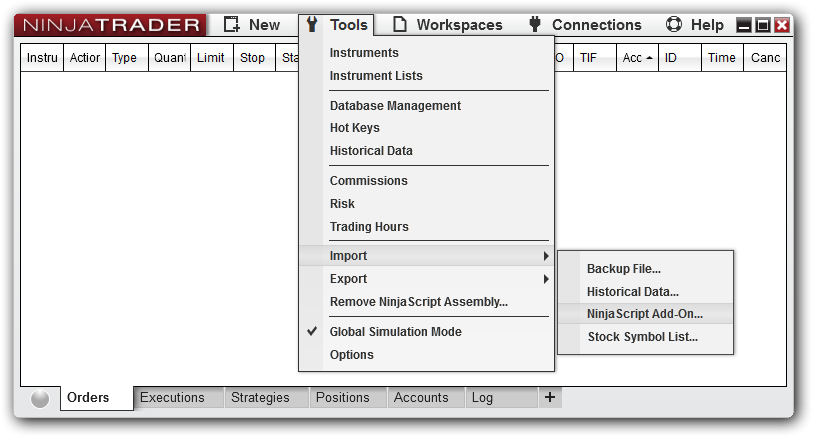
Once you download, in NinjaTrader 8, go to Tools -> Import -> NinjaScript Add-On:
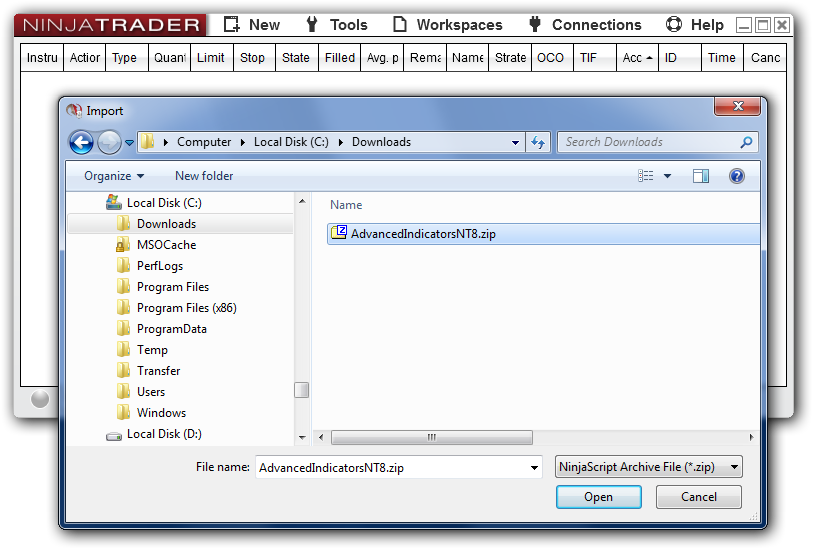
Import will prompt you for a file to import. Simply select the file you just downloaded and click Open:
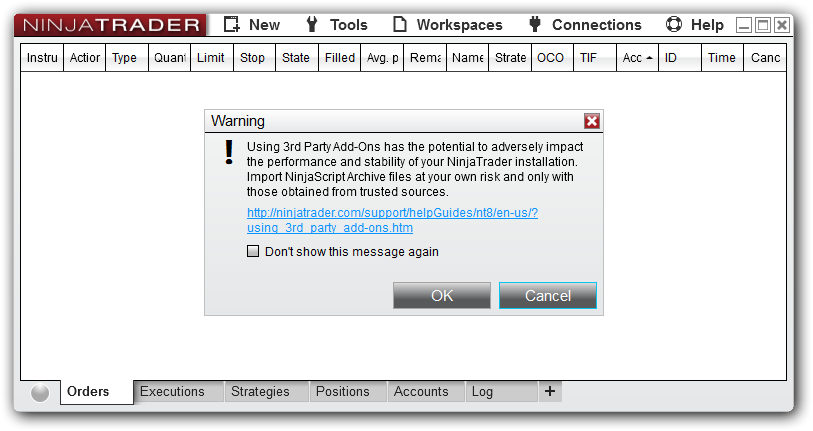
Import may show a warning as shown below. Just click OK because this is the default caution prompt for all imports.
Import will report success if all went fine:
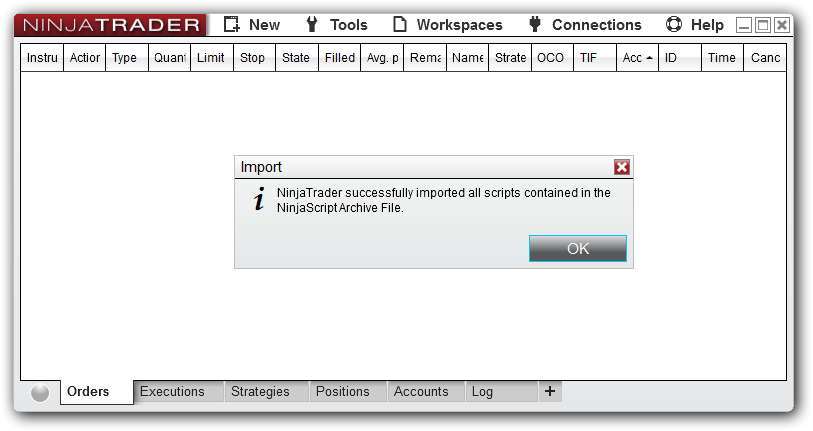
Chart Indicators dialog should now show imported indicators:
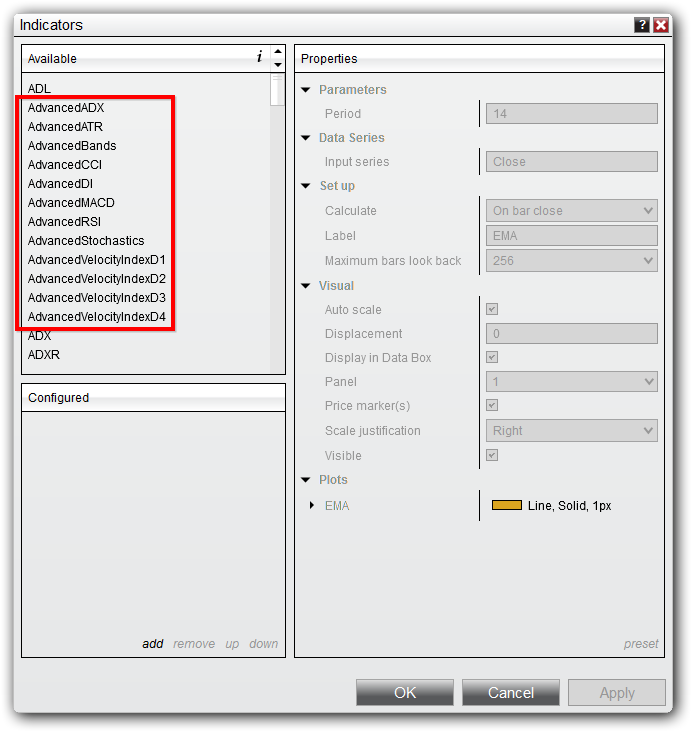
Thank you for your interest. Please let us know if you have any questions.
NT7 Import instructions (NT8 Import instructions above) | Top
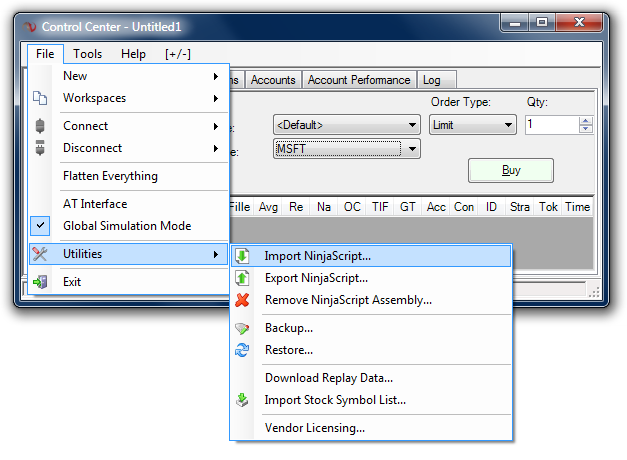
Once you download, in NinjaTrader 7, go to File -> Utilities -> Import NinjaScript:
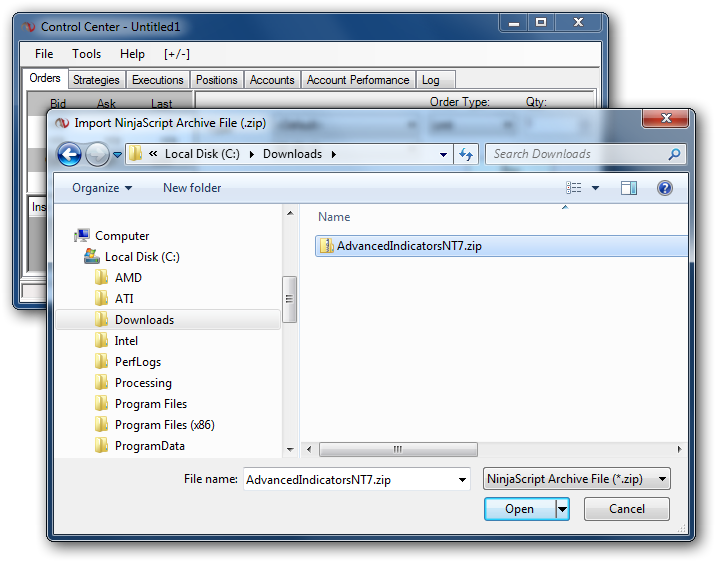
Import will prompt you for a file to import. Simply select the file you just downloaded and click Open:
Import will report success if all went fine:
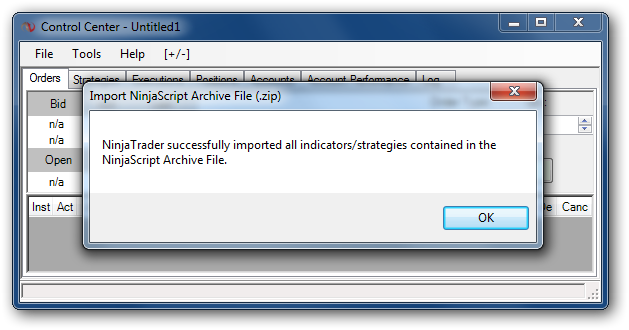
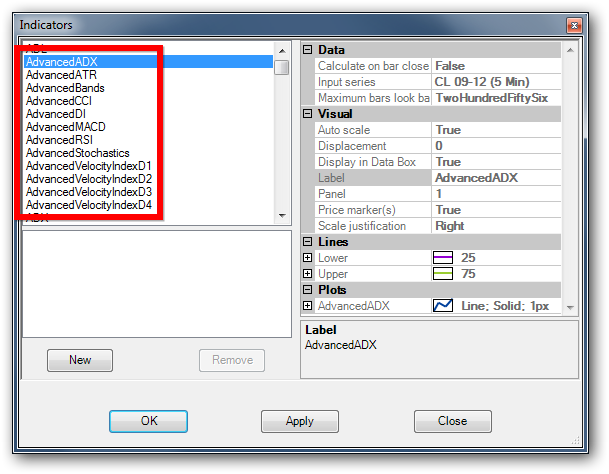
Chart Indicators dialog should now show imported indicators:
Thank you for your interest. Please let us know if you have any questions.